







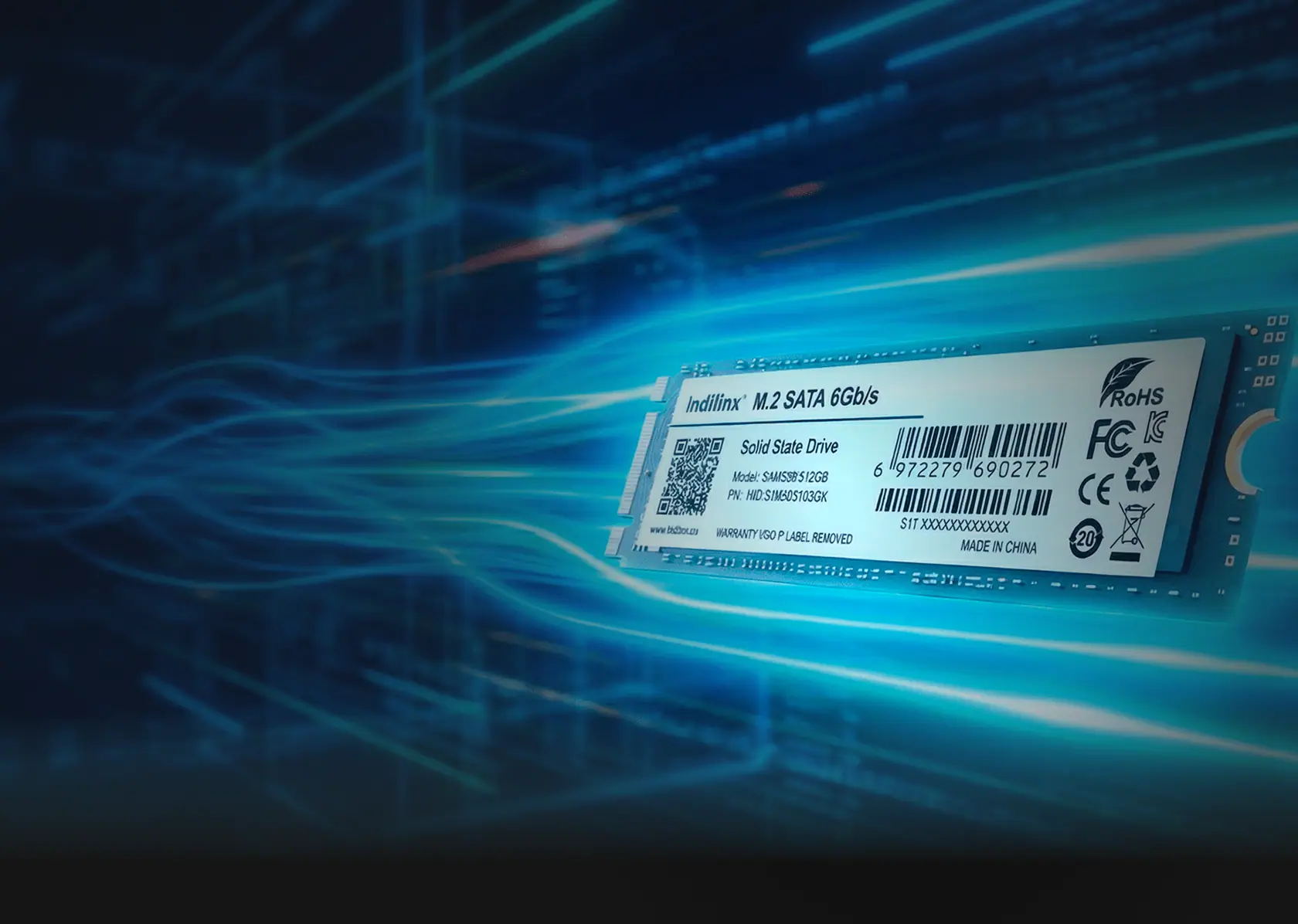

Portable hard drives are widely used for office backups, study storage, and large file transfers. Faced with differences in specifications and performance, users need to make a comprehensive judgment based on factors such as transfer speed, capacity, and portability. This article will analyze these core points to help users quickly establish clear selection criteria and choose a more efficient and stable portable hard drive solution.
How Fast Is the Data Transfer Speed?
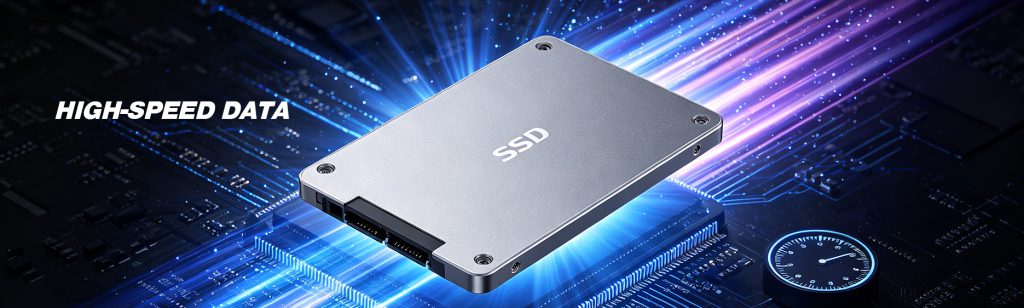
High-speed data transfer performance directly determines the overall user experience of a portable hard drive. Its impact extends beyond mere speed; it reshapes workflow rhythms. This difference is amplified rapidly when processing large files, transforming what was once “acceptable waiting time” into a “bottleneck affecting efficiency.”
Whether it’s batch importing video footage, real-time access to design files, or system-level data backup and migration, transfer efficiency directly affects operational continuity and task completion time. Therefore, judging the performance of a portable hard drive requires a reinterpretation of the meaning of speed from the perspective of “time cost.”
High-speed Read and Write Capabilities
High-performance portable hard drives typically offer transfer performance close to that of built-in solid-state drives (SSDs), supporting read speeds of up to approximately 1050 MB/s. This level means that in sequential read/write scenarios, they have broken through the performance limits of traditional mobile storage devices. Compared to mechanical hard drives, their advantages lie not only in increased bandwidth but also in reduced access latency and improved response speed.
In practical use, this performance difference translates into shorter loading times and faster data retrieval speeds. For example, when opening large project files or loading high-resolution footage, high-speed read capabilities can significantly reduce waiting time, making operations smoother. It’s important to note that nominal speeds reflect the upper limit of performance, not long-term stable performance, and therefore should not be used as the sole criterion for judgment.
Large File Transfer Efficiency Optimization
In real-world usage, continuous large file transfers are a high-frequency scenario and a key performance indicator. High transfer rates can significantly reduce waiting time, improve task execution efficiency, and make data flow smoother. For example, importing raw footage during video editing or batch exporting resource files in design software reduces interruptions due to faster transfer speeds.
Furthermore, performance differences are not only reflected in “speed” but also in “stability.” Some devices can reach high speeds for short periods, but during continuous writing, they may experience significant speed drops due to cache exhaustion. This fluctuation disrupts the workflow and degrades the overall experience. Therefore, sustained read/write capabilities actually reflect real-world usage value better than peak speeds.
The Impact of Interface Protocols on Speed
Transfer speed is not only determined by the hard drive itself but also directly limited by the interface protocol. Interface bandwidth determines the upper limit of data transfer and is a key factor affecting performance release. For example, only devices supporting USB 3.2 Gen 2 or higher interfaces can support transfer speeds approaching 1000MB/s.
If a high-performance hard drive is connected to a lower-specification interface, even if its internal performance is sufficient, it will not be able to reach its full potential due to bandwidth bottlenecks. This kind of “performance waste” is quite common in practical use. Therefore, when selecting a product, it’s necessary to simultaneously evaluate the device’s interface capabilities to ensure a match between the two, thus avoiding a gap between theoretical performance and actual results.
Can the Storage Capacity Meet Your Needs?

Choosing storage capacity is essentially a comprehensive judgment of the “data scale” and “data growth path,” rather than a simple comparison of specifications.
Insufficient capacity will lead to frequent data cleaning, migration, and even duplicate backups, directly increasing time costs and disrupting work continuity; excessive capacity means idle resources, preventing budgeted investment from translating into actual efficiency. Therefore, when choosing portable hard drives, it is necessary to simultaneously assess the current data volume, usage frequency, and future growth trends to form a relatively stable capacity configuration plan.
Multiple Capacity Options cover Different Usage Scenarios
Mainstream portable hard drives typically offer a variety of capacity options, such as 128GB, 256GB, 512GB, and 1TB. This tiering is not simply a product hierarchy, but rather a response to different data usage intensities. Smaller capacities are more suited to lightweight, high-mobility data usage scenarios; larger capacities are more suitable for long-term, high-density data environments.
The core value of this tiered design lies in “on-demand matching,” allowing users to choose based on their data structure and usage patterns, rather than being limited by a single capacity. Truly effective capacity selection is not about “maximizing,” but about “structural matching,” that is, establishing a correspondence between capacity size and data type.
User Groups for Different Capacities
From a practical standpoint, capacity requirements can be transformed into a combination of data structure and usage scenarios:
- 128GB / 256GB: Suitable for lightweight data environments primarily consisting of documents, images, and small project files, serving more as “temporary storage” or “data transfer.”
- 512GB: Suitable for medium-sized data scenarios, such as design material management, short video project processing, or periodic backup needs, balancing capacity and flexibility.
- 1TB and above: Suitable for high data density scenarios, such as long-term content accumulation, large project file management, 4K video material storage, or system-level backup.
Capacity selection essentially reflects “data density,” that is, the volume of data generated per unit of time, rather than simply usage frequency. High-frequency usage scenarios with small data volumes still have limited capacity requirements; however, low-frequency but high-volume data will quickly fill up storage space.
Differences between Daily Storage and Large File Backup
Daily storage typically consists of fragmented data, such as documents, images, and spreadsheets. This type of data is small in size but numerous, with capacity consumption increasing linearly, making space pressure relatively controllable. Large file backups primarily consist of video footage, design source files, and databases. These are characterized by their large individual file size and rapid growth rate, consuming significant space in a short period.
Therefore, when assessing capacity, it’s crucial to first clarify the data structure: if the primary data type is small files, prioritize cost-effectiveness while ensuring sufficient space; if the primary data type is large files, choose a higher capacity directly to reduce the additional costs of subsequent expansion and migration. Essentially, this involves choosing between “space for time” and “time for space.”
Capacity Planning: Current Needs vs. Future Growth
Choosing capacity solely based on current data volume can easily lead to capacity bottlenecks in a short time, especially in scenarios with continuously growing data, such as photography, video production, or software development. This type of data often has the characteristic of “irreversible accumulation,” requiring long-term storage once generated and difficult to compress or delete.
A more reasonable approach is to reserve a certain amount of redundant space based on current needs to cope with future growth. Typically, adding 20%–50% capacity margin to the existing data volume ensures stable operation of the device throughout its lifespan, avoiding frequent replacements or data migrations. Capacity planning is essentially about balancing “short-term costs” with “long-term efficiency”.
How Portable Is the Design?

A device’s exterior design and portability do more than just shape its visual appeal; they directly determine how frequently it is used and the practical effort required to carry it. For portable hard drives, the question of “am I willing to carry this with me?” is often far more critical than “does it possess the necessary features?” If a device is too bulky or heavy—even if its performance is exceptional—it is likely to end up sitting idle in actual day-to-day use. Consequently, portability is fundamentally a measure of a device’s “suitability for its intended usage scenarios.”
Compact Dimensions and Lightweight Design
This category of portable hard drives typically employs an ultra-compact structural design—for instance, with dimensions kept to approximately 92 × 50 × 15 millimeters. Their overall volume is comparable to that of a credit card-sized device, allowing them to be carried on one’s person without occupying any significant extra space.
In terms of weight, the design—tipping the scales at around 35 grams—places it on par with the physical burden of carrying other small, everyday electronic gadgets; even when carried for extended periods, it imposes no noticeable strain. This lightweight characteristic allows the device to slip effortlessly into a pocket, laptop bag, or backpack, minimizing the logistical burden of carrying it and thereby boosting its actual frequency of use.
Material Selection and Handheld Experience
Regarding materials, the use of ABS engineering plastic serves a dual purpose: it effectively keeps the overall weight in check while providing a degree of impact resistance, offering basic protection during daily use. Compared to metal, a plastic casing strikes a better balance between weight and cost, while also avoiding the discomfort that can arise from holding a metal device that conducts heat.
Furthermore, surface finishing techniques play a role in the handheld experience; for instance, anti-slip designs or matte textures can reduce the risk of accidental drops and enhance handling stability. While these details may not directly impact performance, they significantly influence the overall user experience over the long term.
Aligning Portability with Usage Scenarios
The essence of portability lies not merely in a device being “small,” but rather in its “suitability for specific usage scenarios.” For users who frequently find themselves on the go—such as students, business professionals, or travelers—compact dimensions and a lightweight profile lower the barrier to carrying the device, allowing it to integrate seamlessly into their collection of everyday essentials.
In contexts involving mobile work or impromptu data processing, a portable device that is ready for use at a moment’s notice minimizes setup time and boosts operational efficiency. For example, tasks such as rapidly transferring files between different devices or backing up data while away from a fixed workspace become significantly more efficient thanks to the device’s enhanced portability.
The Impact of Design on User Habits
Exterior design is not merely a static attribute; it also exerts a reciprocal influence, actively shaping and modifying the user’s habits and behaviors. Smaller and lighter devices are easier to carry on one’s person, thereby enhancing the immediacy of data access; conversely, larger devices are more likely to remain anchored to a specific usage environment, effectively transforming into “semi-fixed storage devices.”
Therefore, when making a selection, it is essential to clearly define one’s intended usage pattern: if mobile use is the primary objective, priority should be given to lightweight and compact designs; however, if the device is intended primarily for use in a fixed environment, one may reasonably relax the requirements for portability and instead focus on other performance metrics.
How Durable and Reliable Is It?
Durability and reliability represent the more “foundational capabilities” of a portable hard drive. Their core value lies not in boosting speed or expanding storage capacity, but rather in safeguarding data security and stability within complex operating environments.
For users who frequently move their devices or work across diverse settings, these capabilities directly determine the device’s long-term usability and the level of associated data risk. Consequently, durability serves, in essence, as a form of “risk control capability”—designed to mitigate the potential impact of unforeseen environmental conditions on data integrity.
International Certification Systems and Fundamental Safety Assurance
High-quality portable SSDs typically undergo certification under various international standards, such as CE, FCC, and RoHS. These certifications impose constraints across dimensions ranging from electromagnetic compatibility and safety regulations to the use of eco-friendly materials, thereby ensuring that the device delivers a stable and safe baseline performance across diverse operating environments in different countries and regions.
CE certification focuses on overall compliance with safety standards; FCC certification primarily regulates electromagnetic interference to prevent adverse effects on other electronic devices; and RoHS certification restricts the use of hazardous substances, thereby enhancing environmental friendliness and long-term operational safety at the material level. Collectively, these multiple certifications establish the foundational threshold for a device to be deemed ready for reliable use, providing a systemic guarantee for its subsequent stable operation.
Wide-Temperature Operation and Environmental Adaptability
In real-world usage scenarios, portable hard drives often encounter environments characterized by significant temperature fluctuations—such as freezing outdoor conditions in winter, transit within vehicles, or high-load operational states indoors. Consequently, a device’s ability to adapt to its environment constitutes a critical component of its overall reliability.
High-performance SSDs are typically capable of operating stably within a temperature range of -5°C to 75°C—a range that effectively covers the vast majority of daily-use scenarios as well as moderately extreme environments. Under low-temperature conditions, the device maintains normal read and write responsiveness; conversely, in high-temperature environments, internal thermal management mechanisms are employed to mitigate the risk of performance fluctuations, thereby preserving the stability of data transmission and storage.
The significance of this wide-temperature design lies in its ability to minimize environmental interference with data processing operations. This ensures that the device maintains consistent performance when transitioning between different scenarios, preventing performance degradation or data anomalies that might otherwise be triggered by temperature variations.
Protective Capabilities: IP65 Rating and Shock-Resistant Design
In addition to temperature adaptability, physical protection capabilities constitute another pivotal factor influencing a device’s overall reliability. For instance, an IP65-rated design effectively prevents dust ingress into the device’s interior and offers a degree of resistance against low-pressure water jets, thereby enhancing operational safety in challenging environments.
Furthermore, a structural design capable of withstanding drops from a height of two meters mitigates the risk of damage resulting from accidental falls during daily use. This level of protection is typically achieved through a combination of internal shock-absorbing structures and a reinforced outer casing, ensuring the device remains fully functional even after minor impacts or when placed in less-than-ideal positions.
In scenarios involving outdoor use, business travel, or frequent portability, such protective capabilities significantly minimize the impact of unpredictable external factors on data security.
The Impact of Durability on Product Lifespan
Ultimately, durability is reflected in the device’s overall lifecycle. Devices featuring superior protective capabilities and greater environmental adaptability are less prone to malfunctions or data anomalies during long-term use, thereby reducing maintenance costs and the frequency with which the unit needs to be replaced.
How Efficient Is the Connection?
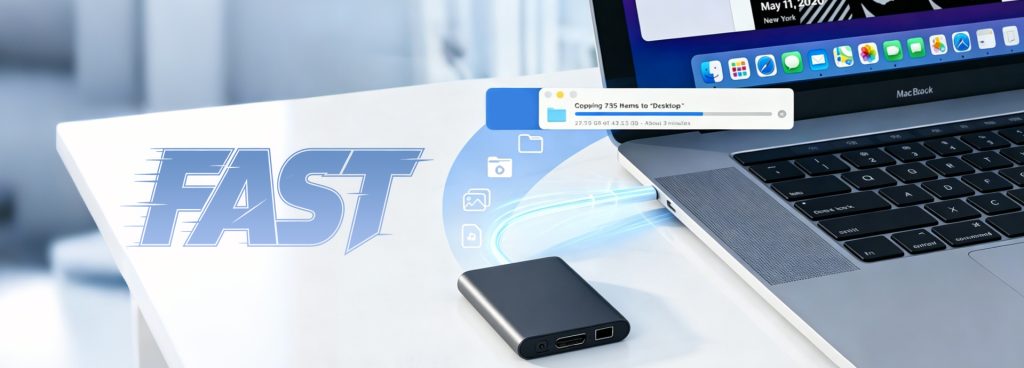
Connection efficiency determines the time cost incurred between a portable hard drive being “plugged into a device” and becoming “actually usable”; it is a critical factor influencing the daily user experience.
Compared to performance metrics such as transfer speed and storage capacity, connection efficiency focuses more on the fundamental interaction experience; it directly impacts how quickly a device can be put to use and how smoothly cross-device operations can be performed. Consequently, when making a purchase decision, connection efficiency essentially defines the storage device’s “responsiveness.”
Plug-and-Play and Rapid Recognition Mechanisms
Once the portable hard drive’s Type-C connector is inserted into a device’s Type-C port, the system typically completes automatic recognition within 2–3 seconds. This process requires no additional driver installation or software configuration, adhering to a standardized “plug-and-play” mechanism.
The core value of this rapid recognition capability lies in minimizing “waiting time,” allowing the device to transition swiftly from a connected state to an operational state. It eliminates the driver installation or manual loading steps often associated with traditional storage devices, thereby significantly boosting operational efficiency.
Immediate Usability Upon Connection
Once the system completes recognition, the hard drive immediately becomes accessible, allowing users to directly perform tasks such as file storage, data copying, large video transfers, or system backups. The entire process involves virtually no learning curve or operational barriers, enabling the device to integrate seamlessly into daily workflows.
This “connect-and-use” characteristic is particularly vital when handling ad-hoc tasks or urgent data transfers, as it effectively minimizes operational interruptions and enhances task continuity.
The Impact of Connection Efficiency on User Experience
The significance of connection efficiency extends beyond mere “speed”; it lies in being “stable and repeatable.” The fact that every insertion results in rapid recognition signifies that the device delivers a high level of performance consistency, thereby reducing the uncertainties often associated with connection delays.
In scenarios involving frequent switching between multiple devices, this stable responsiveness reduces the operational burden, allowing the portable hard drive to function more as a “true plug-and-play tool” rather than merely an external peripheral requiring additional configuration.
How Well does it Support Different Devices?

Device compatibility determines whether a portable SSD can operate stably within a multi-terminal environment; fundamentally, it impacts the scope and efficiency of data circulation.
In today’s scenarios involving collaborative use across multiple devices, the value of a hard drive is no longer defined solely by its storage capacity, but also by its ability to switch seamlessly between different operating systems and devices while maintaining stable access. Consequently, compatibility represents a higher-level capability—extending beyond mere physical connectivity—that enhances the overall utility of the device.
The Unified Connectivity Enabled by Type-C Interfaces
Mainstream portable hard drives typically feature Type-C interfaces that support standard USB transmission protocols, thereby enabling a unified method of connection across various devices. This type of interface is not only suitable for laptops but is also compatible with smartphones, tablets, and select camera equipment; furthermore, it can be adapted via converters to work with devices utilizing traditional USB ports.
The core significance of this design lies in eliminating usage barriers caused by interface disparities. By standardizing data access methods across different devices, it reduces the complexity of cross-device operations and significantly boosts overall operational efficiency.
Cross-Platform Data Circulation Capabilities
In multi-system environments—such as those involving Windows, macOS, and various mobile operating systems—the Type-C interface, combined with universal storage protocols, facilitates stable data reading and writing capabilities. Users can perform file transfers or data backups between different devices without the need for complex configuration settings.
This cross-platform capability transforms the portable hard drive from a mere accessory for a single device into a “universal data carrier.” It remains fully functional across diverse work environments, unhindered by differences in operating systems.
Device Adaptability across Multiple Scenarios
The practical value of device compatibility is best demonstrated by its ability to cover a wide range of usage scenarios. For instance, whether connecting to a laptop in an office setting for document processing, linking to a camera while out shooting to offload footage, or connecting to a smartphone on the go for quick file transfers, a single storage medium can serve as the seamless bridge for data continuity across all these different devices.
This multi-scenario adaptability ensures that data flow is no longer tethered to a specific device, but rather revolves around the storage medium itself, thereby enhancing overall operational flexibility.
The Impact of Compatibility on User Experience
The higher the level of compatibility, the broader the operational scope of the device. Users are no longer required to acquire separate storage tools for different devices, nor do they need to worry about issues such as mismatched ports or system incompatibilities—factors that ultimately reduce the cognitive burden and decision-making costs associated with using the device.
Therefore, when selecting a portable hard drive, compatibility is not merely a technical specification; it is a critical factor determining whether the device possesses the attributes of a “universal tool,” directly influencing the ability of data to flow freely across a multi-device environment.
What Technical Support and Warranty Are Available?

Technical support and after-sales service determine the level of assurance a portable hard drive offers *beyond* its immediate operational cycle; essentially, they serve as a safety net to mitigate the long-term risks faced by the user.
Compared to hardware specifications alone, an after-sales system focuses more on the efficiency of response, repair capabilities, and long-term maintenance capacity once a device encounters issues—factors that ultimately influence the user’s overall sense of security and expectations regarding stability. Consequently, this aspect constitutes a crucial dimension of the long-term value assessment during the purchasing decision-making process.
Usage Guidance and Basic Technical Support
During actual use, manufacturers typically provide basic technical guidance regarding interface connectivity, device compatibility, and data transfer issues. This type of support is primarily designed to resolve common problems encountered during initial usage—such as the device failing to be recognized, connection anomalies, or unstable transfer speeds.
Through standardized user manuals and technical support channels, users can more quickly pinpoint the source of a problem, thereby minimizing usage hurdles caused by improper operation or environmental variables, and ultimately enhancing the overall smoothness of the user experience.
Professional Fault Detection and Standardized Repair Systems
When a device fails to be recognized or exhibits abnormal behavior, professional fault detection mechanisms enable a systematic diagnosis of the SSD to determine whether the issue stems from the hardware, the interface, or the data layer. During the repair process, original manufacturer components are typically used for replacements or repairs to ensure the consistency and stability of the device’s performance.
The core value of such a standardized repair system lies in its “recoverability”—the ability to restore the device to its original performance state as closely as possible following a malfunction, rather than merely replacing individual parts. This approach effectively extends the overall life-cycle of the device.
Long-Term Warranties and After-Sales Assurance Systems
High-quality portable hard drives typically come with an official warranty service lasting up to five years, during which users can access reliable after-sales support. This long-term assurance mechanism covers potential hardware issues that may arise during normal usage, thereby mitigating the associated risks for the user.
Furthermore—subject to compliance with regional regulations—certain products offer return or exchange options within a specified timeframe for devices that remain unopened or are found to possess initial manufacturing defects. This mechanism further reinforces the sense of security during the purchasing phase, providing users with greater peace of mind when making their initial decision.
The Impact of After-Sales Systems on Usage Decisions
A comprehensive system of technical support and after-sales service essentially serves to reduce the “hidden risk costs” associated with a device. When users no longer need to worry about uncontrollable losses in the event of device failure, the actual practical value of the product is significantly enhanced.
Therefore, when selecting a portable hard drive, after-sales support capabilities should not be viewed merely as an optional add-on; rather, they should be treated as an evaluation criterion of equal importance to performance specifications, serving as a basis for determining whether the product possesses the reliable foundation necessary for stable, long-term use.