تأسست شركة Indilinx في عام 2012، وهي مؤسسة وطنية عالية التقنية متخصصة في تصميم رقائق الذاكرة، وتطوير البرمجيات، والتغليف والاختبار، والتصنيع، والتطبيقات المتعلقة بشرائح الذاكرة.
المبنى C، المنطقة الصناعية BaiYang، رقم 44 طريق Kengwei، شارع Shiyan، منطقة Bao’an، شينزن، الصين
operations@indilinx.cn
+86 17727594880
ذاكرة DDR3
Indilinx DDR3: بجهد 1.5/1.35V، حل اقتصادي للأنظمة القديمة، توافق واسع مع Intel وAMD، وأداء مستقر
تأسست شركة Indilinx في عام 2012، وهي مؤسسة وطنية عالية التقنية متخصصة في تصميم رقائق الذاكرة، وتطوير البرمجيات، والتغليف والاختبار، والتصنيع، والتطبيقات المتعلقة بشرائح الذاكرة.
المبنى C، المنطقة الصناعية BaiYang، رقم 44 طريق Kengwei، شارع Shiyan، منطقة Bao’an، شينزن، الصين
operations@indilinx.cn
+86 17727594880
محرك USB Flash
Indilinx Titan X SSD: USB3.2 Gen1، بمعايير عسكرية، تشفير AES 256-bit، بسعات من 128GB إلى 1TB للمحترفين
تأسست شركة Indilinx في عام 2012، وهي مؤسسة وطنية عالية التقنية متخصصة في تصميم رقائق الذاكرة، وتطوير البرمجيات، والتغليف والاختبار، والتصنيع، والتطبيقات المتعلقة بشرائح الذاكرة.
المبنى C، المنطقة الصناعية BaiYang، رقم 44 طريق Kengwei، شارع Shiyan، منطقة Bao’an، شينزن، الصين
operations@indilinx.cn
+86 17727594880
Micro SD
Indilinx Micro SD: تصميم مدمج وقابل للحمل، وتدفق بيانات سلس بين الهواتف والكاميرات وأجهزة الألعاب
تأسست شركة Indilinx في عام 2012، وهي مؤسسة وطنية عالية التقنية متخصصة في تصميم رقائق الذاكرة، وتطوير البرمجيات، والتغليف والاختبار، والتصنيع، والتطبيقات المتعلقة بشرائح الذاكرة.
المبنى C، المنطقة الصناعية BaiYang، رقم 44 طريق Kengwei، شارع Shiyan، منطقة Bao’an، شينزن، الصين
تأسست شركة Indilinx في عام 2012، وهي مؤسسة وطنية عالية التقنية متخصصة في تصميم رقائق الذاكرة، وتطوير البرمجيات، والتغليف والاختبار، والتصنيع، والتطبيقات المتعلقة بشرائح الذاكرة.
المبنى C، المنطقة الصناعية BaiYang، رقم 44 طريق Kengwei، شارع Shiyan، منطقة Bao’an، شينزن، الصين
operations@indilinx.cn
+86 17727594880
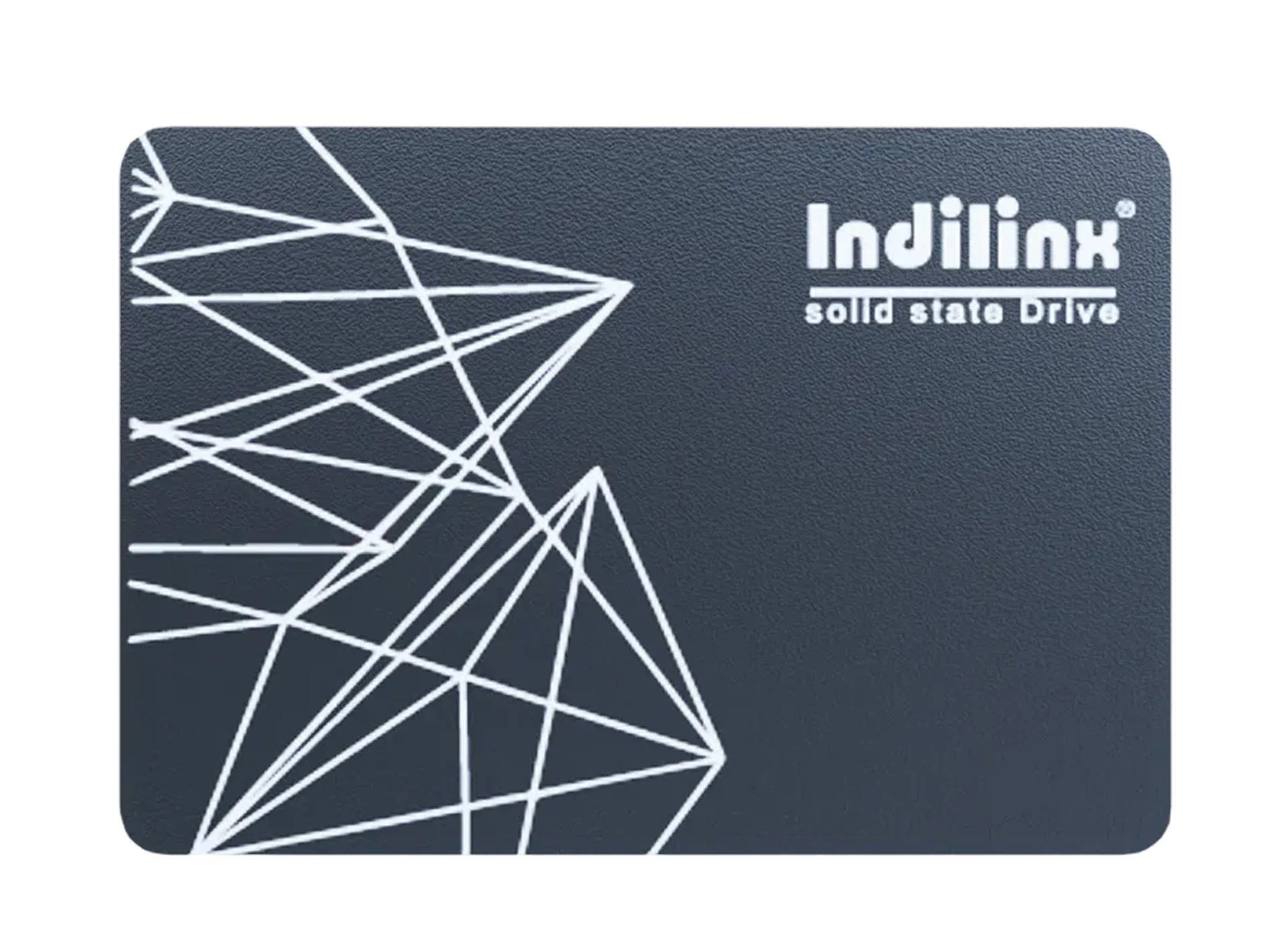
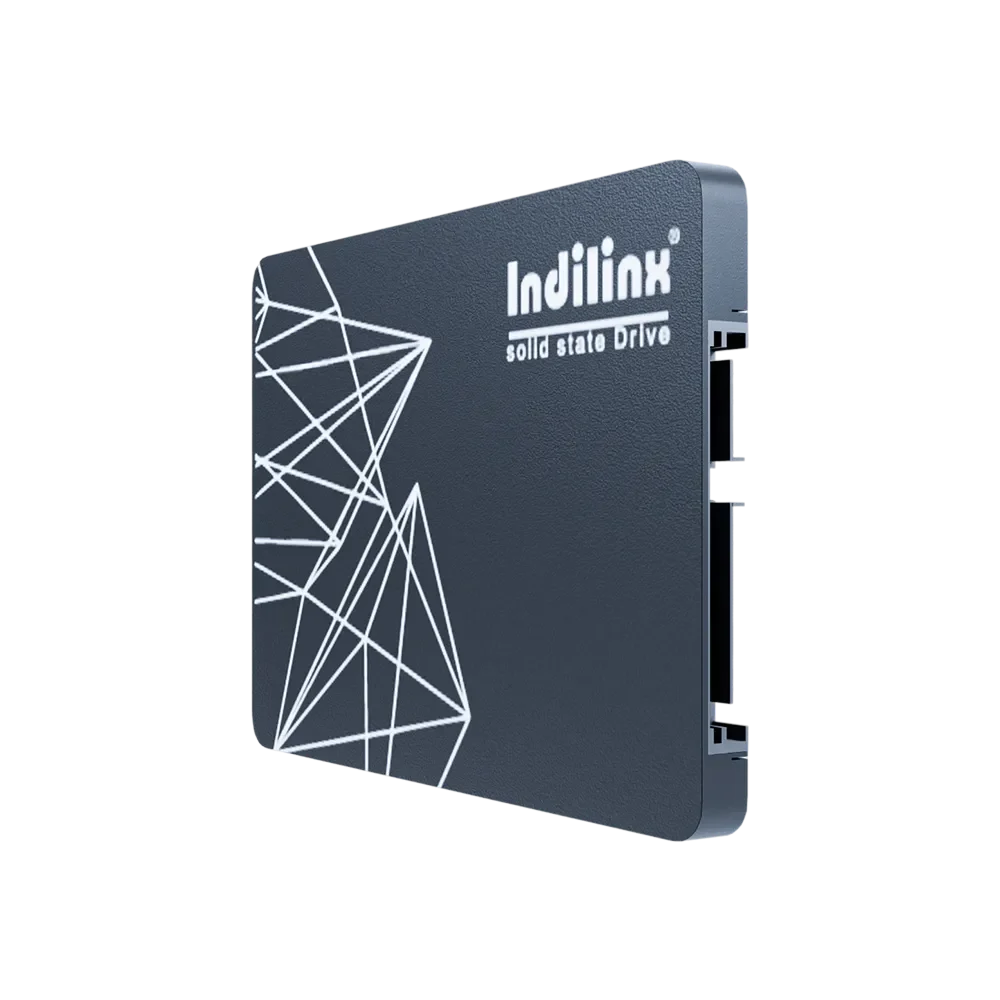
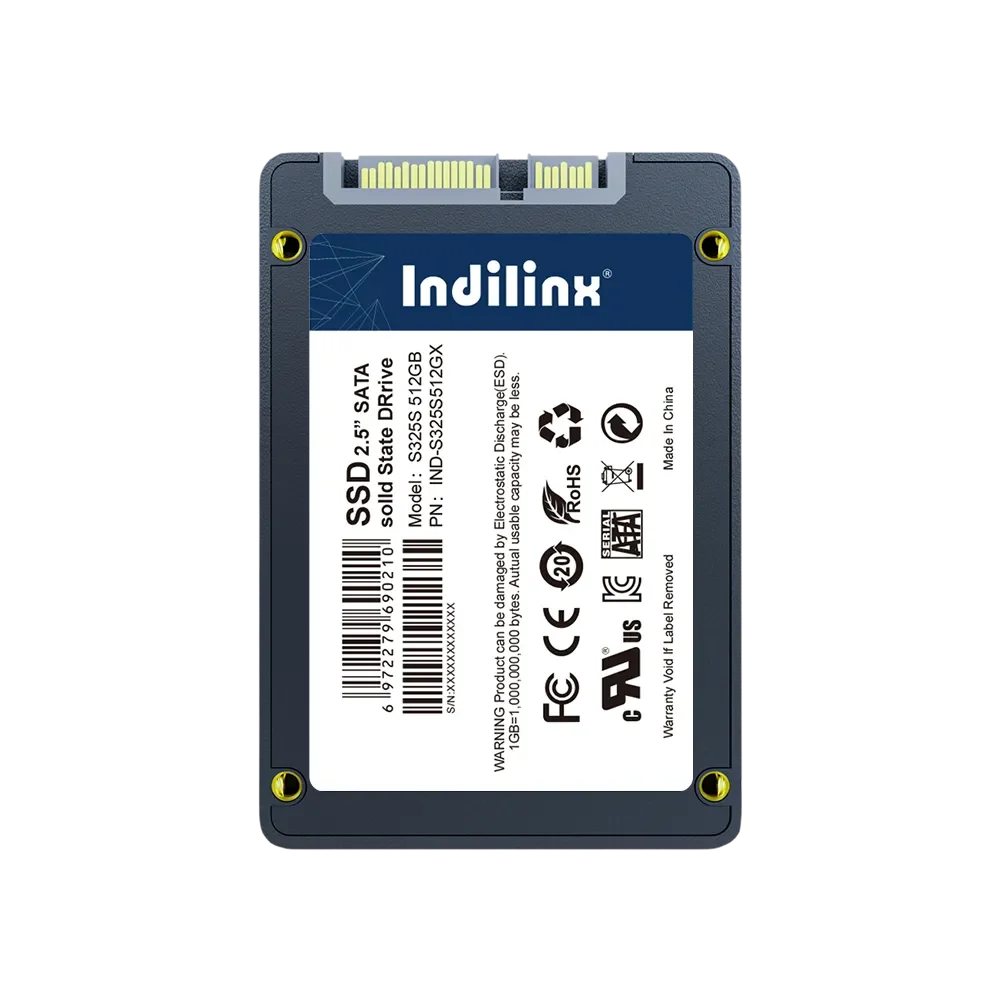
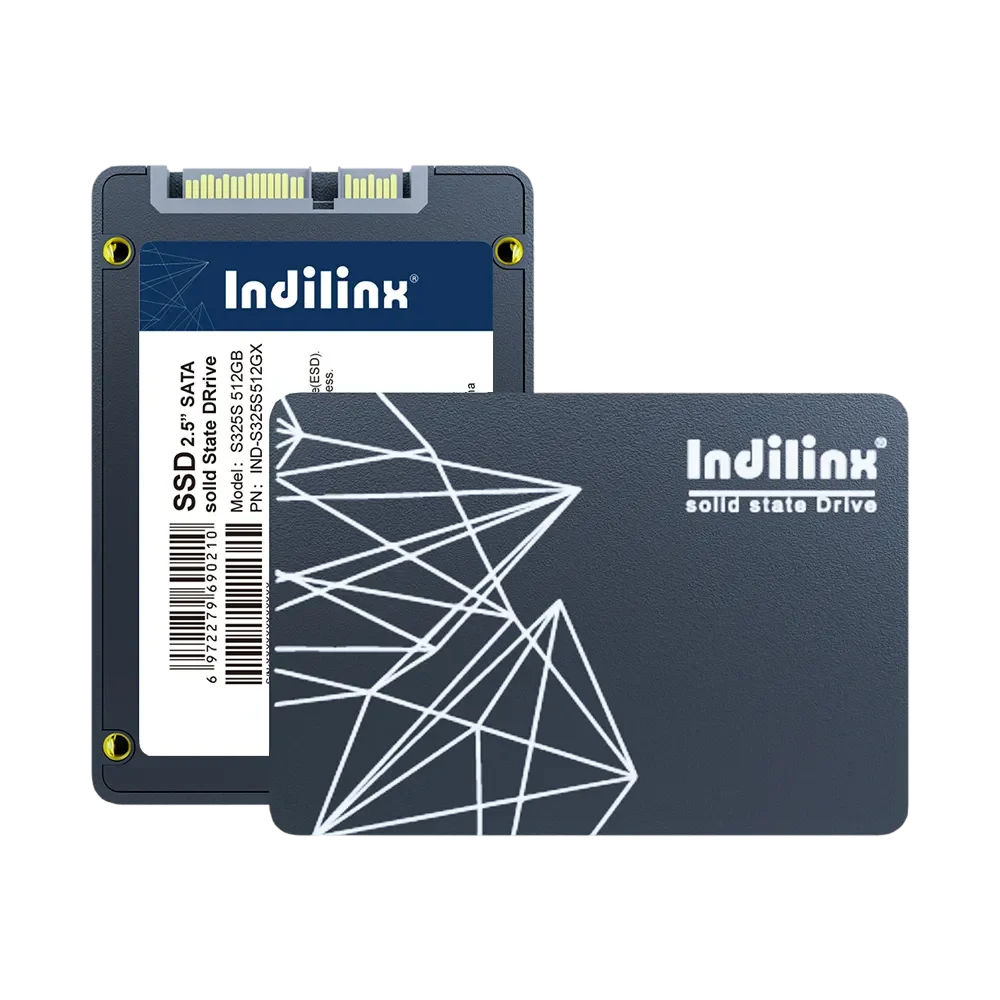
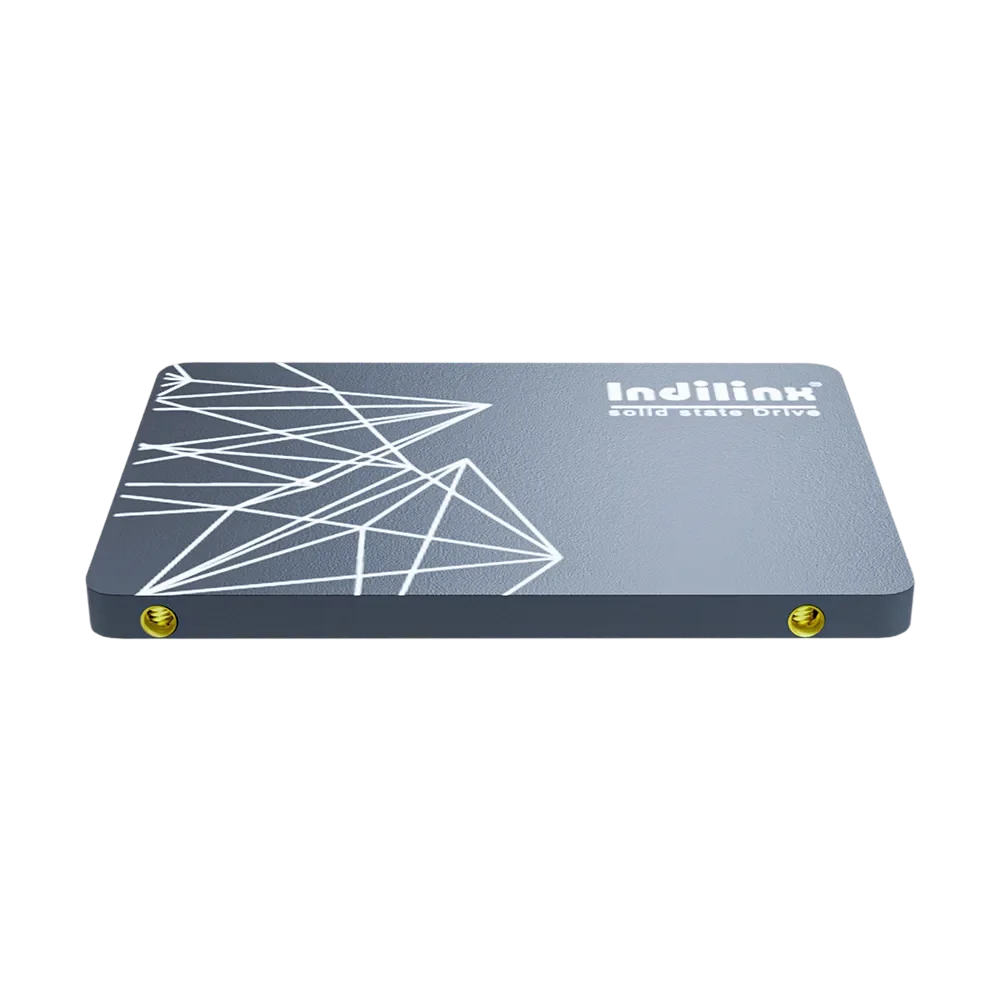
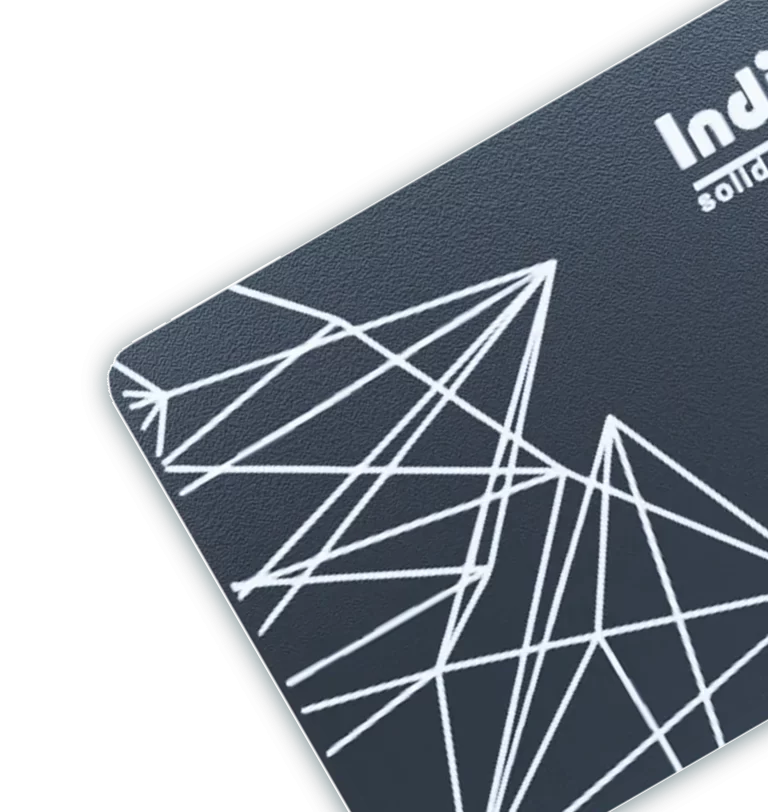
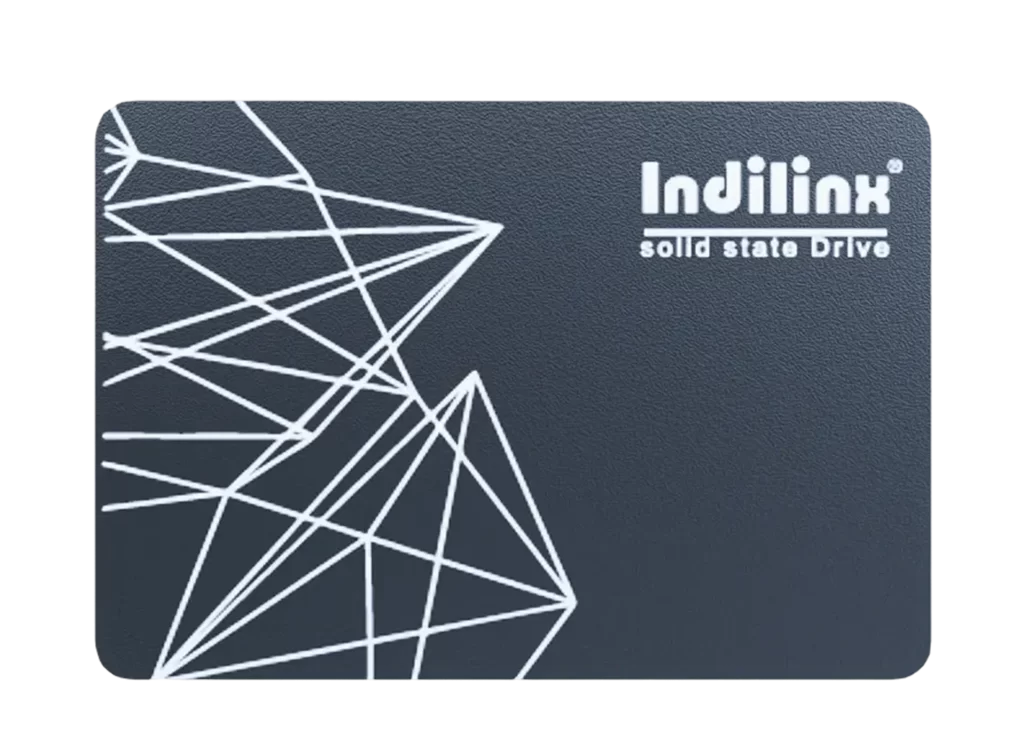
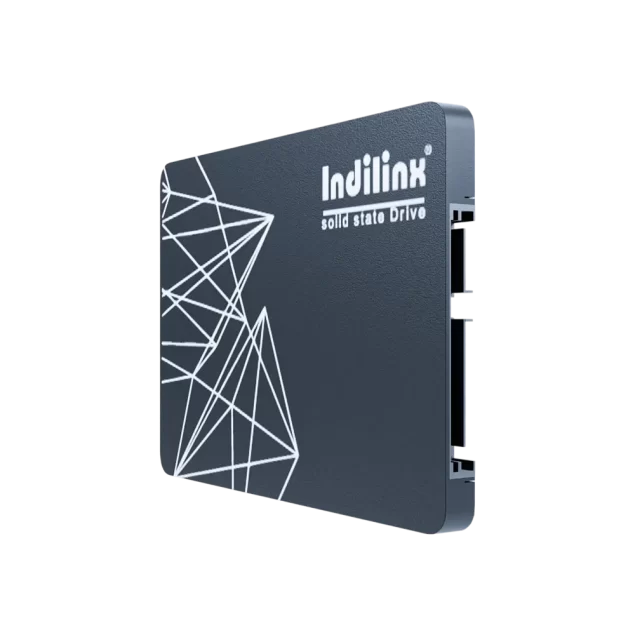
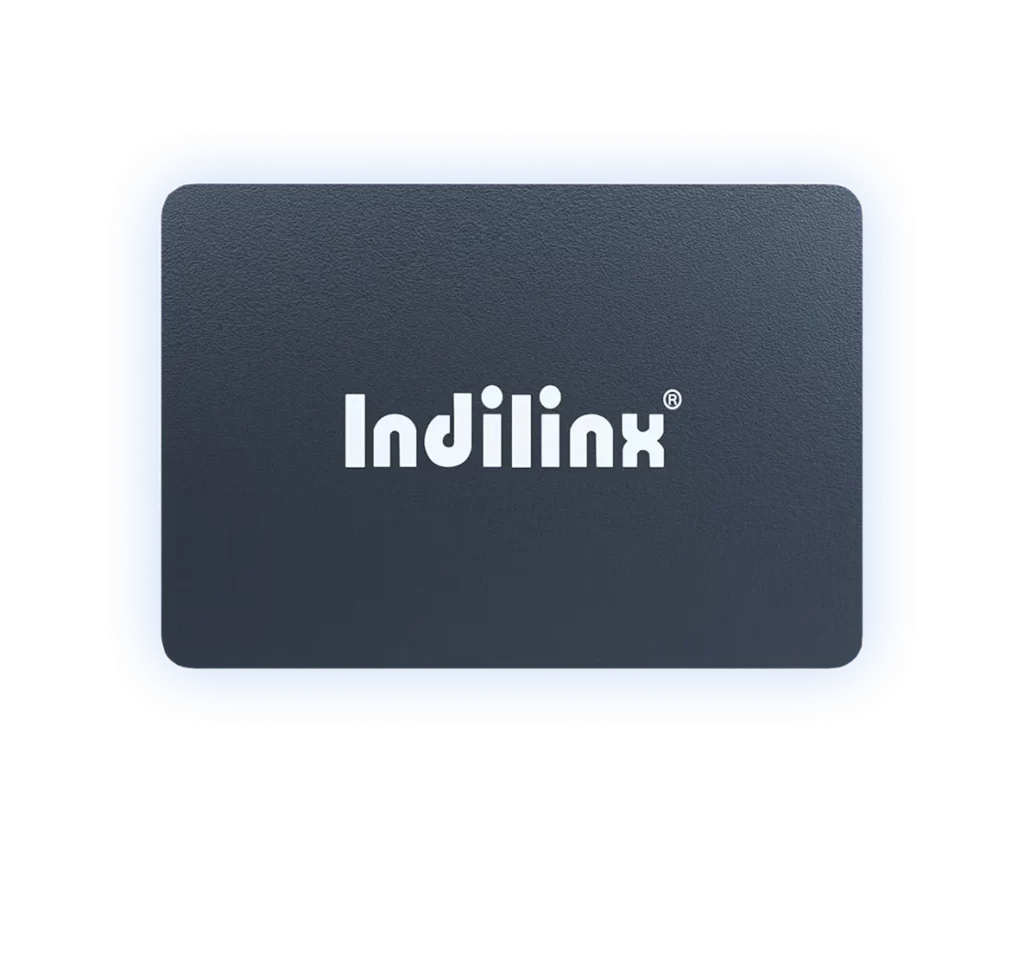
محرك أقراص الحالة الصلبة SATA3 بسعات متعددة – S325X
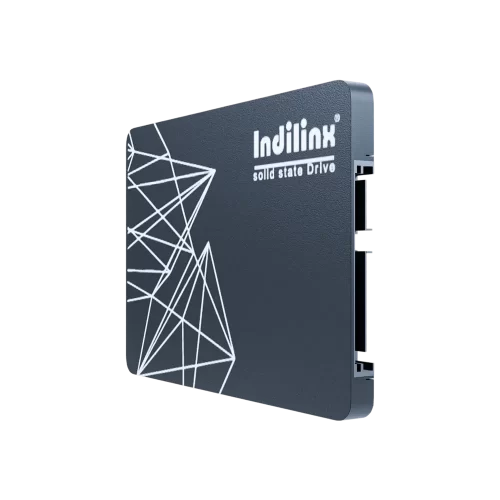
يُعد Indilinx IND-S325X محرك أقراص SSD استهلاكيًا بقياس 2.5 بوصة وواجهة SATAIII، ويوفر سعات متنوعة من 60GB إلى 2TB لتلبية مختلف احتياجات التخزين. مزود بشرائح 3D NAND أصلية ووحدة تحكم احترافية، ويقدم أداءً أسرع بـ 5 مرات من الأقراص الصلبة HDD — تشغيل النظام خلال 7 ثوانٍ، ونسخ ملفات بحجم 5GB خلال 10 ثوانٍ، وفتح البرامج الكبيرة خلال 5 ثوانٍ. خضع لاختبارات صارمة لأكثر من 80 ساعة (دورات الحرارة والبرودة، والقراءة/الكتابة المستمرة)، ويتميز بتقنية تصحيح الأخطاء ECC، ويعمل بثبات ضمن درجات حرارة من -5 إلى 75 درجة مئوية، كما يأتي بتصميم نحيف بسماكة 7 مم (100×70×7 مم) لتوافق سلس مع أجهزة الكمبيوتر المكتبية والمحمولة، مع ضمان لمدة 5 سنوات.
يُعد Indilinx IND-S325X محرك أقراص SSD عالي الأداء من فئة SATA III الاستهلاكية، مصممًا لتحسين تجربة التخزين لأجهزة الكمبيوتر المكتبية والمحمولة. يوفر خيارات سعة واسعة من 60GB إلى 2TB لتلبية الاحتياجات المختلفة — سواء للأعمال المكتبية اليومية أو الألعاب أو تخزين البيانات الضخمة. بفضل تصميمه القياسي بقياس 2.5 بوصة وسماكة نحيفة 7 مم (100×70×7 مم)، ووزنه الذي يبلغ حوالي 35 جم فقط، فإنه يضمن سهولة التركيب والتوافق السلس مع معظم الأجهزة.
يعتمد هذا الـ SSD على شرائح 3D NAND الأصلية ووحدة تحكم تخزين احترافية لتقديم سرعة استثنائية تتفوق على الأقراص الصلبة التقليدية HDD بمقدار 5 مرات. تشمل مؤشرات الأداء الرئيسية (استنادًا إلى اختبار إصدار 512GB): تشغيل النظام خلال 7 ثوانٍ، ونقل ملفات بحجم 5GB خلال 10 ثوانٍ، وتشغيل البرامج الكبيرة خلال 5 ثوانٍ، مما يعزز كفاءة العمل والألعاب بشكل ملحوظ. يدعم واجهة SATA III بسرعة 6Gb/s ويعمل بثبات ضمن نطاق درجات حرارة من -5 إلى 75 درجة مئوية، ليتكيف مع البيئات المختلفة.
يتم ضمان الموثوقية من خلال رقابة جودة صارمة: أكثر من 80 ساعة من الاختبارات الدقيقة، بما في ذلك اختبار التقادم الحراري المرتفع والمنخفض لمدة 8 ساعات، والقراءة/الكتابة المستمرة لمدة 48 ساعة، و250 دورة حرارة/برودة، و2000 اختبار وضع السكون. كما تم تزويده بتقنية تصحيح الأخطاء ECC التي تكتشف القطاعات التالفة وتعالجها بفعالية، مما يحافظ على سلامة البيانات. ومع حصوله على شهادات CE/FCC/ROHS وضمان لمدة 5 سنوات، فإنه يجمع بين المتانة والأداء وراحة البال.
سرعة فائقة وأداء فعال مدعومان بمكونات عالية الجودة
بفضل شرائح 3D NAND الأصلية ووحدة التحكم الاحترافية، يوفر IND-S325X أداءً أسرع بـ 5 مرات من الأقراص الصلبة التقليدية HDD. يقوم بتشغيل النظام خلال 7 ثوانٍ، ونسخ ملفات 5GB خلال 10 ثوانٍ، وتشغيل البرامج الكبيرة خلال 5 ثوانٍ (استنادًا إلى اختبارات إصدار 512GB)، مما يسرّع بشكل كبير الألعاب والعمل المكتبي ومعالجة البيانات. كما تعمل تقنية التخزين ثلاثية الأبعاد على تحسين كثافة السعة والسرعة لضمان تشغيل سلس وخالٍ من التأخير.
متانة موثوقة وتوافق عالمي لاستخدامات متعددة
تم تصميم هذا الـ SSD لتحقيق الاستقرار طويل الأمد، حيث خضع لأكثر من 80 ساعة من الاختبارات الصارمة (التقادم الحراري، القراءة/الكتابة المستمرة، دورات الحرارة والبرودة)، كما يتميز بتقنية ECC لاكتشاف القطاعات التالفة. يعمل بثبات ضمن درجات حرارة من -5 إلى 75 درجة مئوية، ومدعوم بضمان لمدة 5 سنوات. وبفضل تصميمه بقياس 2.5 بوصة (100×70×7 مم) وسماكته 7 مم، فهو متوافق مع أجهزة الكمبيوتر المكتبية والمحمولة، مما يتيح تركيبًا سهلاً وترقية مريحة للأجهزة.
اختبارات جودة صارمة
أكثر من 80 ساعة من الاختبارات (التقادم، الاهتزاز، وضع السكون) لضمان متانة استثنائية في البيئات القاسية.
التكيف السلس مع الأجهزة
وزن خفيف (حوالي 35 جم) وحجم قياسي يناسب معظم الأجهزة، مما يبسط عملية الترقية للمستخدمين.
يتميز محرك الأقراص SSD SATA من Indilinx IND-S325X بقياس 2.5 بوصة بتصميم قياسي وسماكة نحيفة 7 مم (100×70×7 مم)، وقد تم تصميمه لسهولة التركيب دون الحاجة إلى مهارات تقنية احترافية. وهو متوافق مع معظم أجهزة الكمبيوتر المكتبية والمحمولة، ويدعم طرق تركيب مرنة لتلبية احتياجات المستخدمين المختلفة — سواء لترقية التخزين الداخلي أو لاستخدامه كمحرك خارجي. يضمن التصميم الخفيف الوزن (حوالي 35 جم) وواجهة SATA III العالمية توافقًا سلسًا، مما يجعل عملية الإعداد سهلة للمبتدئين والمحترفين على حد سواء.
التركيب الداخلي لأجهزة الكمبيوتر المكتبية
اتصال منفذ SATA
الاستبدال الداخلي لأجهزة الكمبيوتر المحمولة
ترقية القرص الصلب
تركيب المحرك تثبيت محرك الأقراص
عبر حاوية القرص الصلب
التركيب الداخلي لأجهزة الكمبيوتر المكتبية (اتصال منفذ SATA)
توسعة فعالة للتخزين الخارجي:
قم بإيقاف تشغيل الكمبيوتر المكتبي وفصل كابل الطاقة وفتح الهيكل. حدد مكان حجرة محرك 2.5 بوصة (أو استخدم محول 3.5 بوصة عند الحاجة). قم بتوصيل SSD باللوحة الأم عبر كابل بيانات SATA وبمزود الطاقة عبر كابل طاقة SATA. ثبّت الـ SSD في الحجرة باستخدام البراغي، ثم أغلق الهيكل وشغّل الكمبيوتر. سيقوم النظام باكتشاف الـ SSD تلقائيًا، مما يتيح لك تهيئته واستخدامه فورًا — دون الحاجة إلى تعريفات إضافية.
الاستبدال الداخلي لأجهزة الكمبيوتر المحمولة (ترقية القرص الصلب)
تفريغ البيانات والنسخ الاحتياطي أثناء التنقل
قم بإيقاف تشغيل الكمبيوتر المحمول وإزالة براغي الغطاء الخلفي (باستخدام مفك مناسب). حدد موقع القرص الصلب الأصلي، وافصل موصلات البيانات والطاقة، ثم أزل حامل التثبيت (إن وجد). ثبّت IND-S325X في الحامل، وأعد توصيل الموصلات، وثبّت الـ SSD في مكانه. أعد تركيب الغطاء الخلفي، ثم شغّل الكمبيوتر المحمول وثبّت نظام التشغيل أو انسخ بيانات القرص الأصلي لبدء استخدام وحدة التخزين المطورة.
تركيب محرك خارجي متنقل (عبر حاوية HDD)
تشغيل الوسائط بشكل فوري
اختر حاوية HDD بقياس 2.5 بوصة تدعم واجهة USB 3.0 أو أعلى. افتح الحاوية، وأدخل IND-S325X في موصل SATA، ثم أغلق الغطاء بإحكام. قم بتوصيل الحاوية بالكمبيوتر عبر كابل USB — لا حاجة لمصدر طاقة خارجي حيث يتم تشغيلها عبر منفذ USB. سيتعرف الكمبيوتر فورًا على الـ SSD الخارجي، مما يتيح استخدامه مباشرة لنقل البيانات أو النسخ الاحتياطي أو التخزين المحمول.
التركيب الداخلي لأجهزة الكمبيوتر المكتبية (اتصال منفذ SATA)
توسعة فعالة للتخزين الخارجي:
قم بإيقاف تشغيل الكمبيوتر المكتبي وفصل كابل الطاقة وفتح الهيكل. حدد مكان حجرة محرك 2.5 بوصة (أو استخدم محول 3.5 بوصة عند الحاجة). قم بتوصيل SSD باللوحة الأم عبر كابل بيانات SATA وبمزود الطاقة عبر كابل طاقة SATA. ثبّت الـ SSD في الحجرة باستخدام البراغي، ثم أغلق الهيكل وشغّل الكمبيوتر. سيقوم النظام باكتشاف الـ SSD تلقائيًا، مما يتيح لك تهيئته واستخدامه فورًا — دون الحاجة إلى تعريفات إضافية.
الاستبدال الداخلي لأجهزة الكمبيوتر المحمولة (ترقية القرص الصلب)
تفريغ البيانات والنسخ الاحتياطي أثناء التنقل
قم بإيقاف تشغيل الكمبيوتر المحمول وإزالة براغي الغطاء الخلفي (باستخدام مفك مناسب). حدد موقع القرص الصلب الأصلي، وافصل موصلات البيانات والطاقة، ثم أزل حامل التثبيت (إن وجد). ثبّت IND-S325X في الحامل، وأعد توصيل الموصلات، وثبّت الـ SSD في مكانه. أعد تركيب الغطاء الخلفي، ثم شغّل الكمبيوتر المحمول وثبّت نظام التشغيل أو انسخ بيانات القرص الأصلي لبدء استخدام وحدة التخزين المطورة.
تركيب محرك خارجي متنقل (عبر حاوية HDD)
تشغيل الوسائط بشكل فوري
اختر حاوية HDD بقياس 2.5 بوصة تدعم واجهة USB 3.0 أو أعلى. افتح الحاوية، وأدخل IND-S325X في موصل SATA، ثم أغلق الغطاء بإحكام. قم بتوصيل الحاوية بالكمبيوتر عبر كابل USB — لا حاجة لمصدر طاقة خارجي حيث يتم تشغيلها عبر منفذ USB. سيتعرف الكمبيوتر فورًا على الـ SSD الخارجي، مما يتيح استخدامه مباشرة لنقل البيانات أو النسخ الاحتياطي أو التخزين المحمول.
توفر Indilinx دعمًا فنيًا شاملاً وخدمة ما بعد البيع الموثوقة لمحرك الأقراص SSD IND-S325X لضمان تجربة مستخدم سلسة. يقدم فريقنا الاحترافي المساعدة الفورية في التركيب والأداء واستكشاف الأخطاء وإصلاحها، مدعومًا بضمان لمدة 5 سنوات. نحن نلتزم بمعايير جودة صارمة، ويمكن للمستخدمين الوصول إلى قنوات دعم متعددة لحل المشكلات بسرعة.
خدمة ضمان لمدة 5 سنوات
يغطي عيوب المواد والتصنيع. يصبح الضمان غير صالح إذا تم تجاوز قيمة TBW (وفقًا لمعيار JEDEC JESD219) أو العمر الافتراضي للخدمة. يرجى التواصل مع الوكلاء المحليين لمزيد من التفاصيل.
دعم الاستشارات الفنية
تقديم إرشادات حول التركيب والتوافق والاستخدام عبر الخدمة الإلكترونية أو البريد الإلكتروني. يتم الرد بسرعة على الاستفسارات المتعلقة بالواجهة والسعة والأداء.
تشخيص الأعطال واستكشاف الأخطاء وإصلاحها
المساعدة في حل المشكلات مثل القطاعات التالفة (عبر وظيفة ECC)، وتقلبات الأداء، والتكيف البيئي (التشغيل ضمن -5 إلى 75 درجة مئوية).
إرشادات تحديث البرامج الثابتة
توفير موارد تحديث البرامج الثابتة الرسمية وتعليمات خطوة بخطوة لتحسين استقرار الـ SSD وتوافقه مع الأجهزة المختلفة.
سياسة الإرجاع والاستبدال
دعم الإرجاع أو الاستبدال للمشكلات المتعلقة بالجودة خلال فترة الضمان. ضمان سلامة المنتج مع ضرورة استشارة الوكلاء المحليين بشأن الإجراءات المحددة.